Gran Turismo 7
Gran Turismo 7 Telemetry
& Corner-By-Corner Coach
Stream live GT7 telemetry to your iPhone or Android over Wi-Fi. Requires Time Trial mode in Gran Turismo 7 - other modes do not broadcast the full telemetry packet. Tire temperatures, fuel, lap delta, corner-by-corner coaching, and lap history - all on-device. No mods, no cables.
Start 2-Month Free TrialSetup Guide
Use Time Trial mode
GT7 broadcasts its richest telemetry packet in Time Trial. Other modes may not send all data fields.
Same Wi-Fi network
Your PlayStation and your phone must be on the same local Wi-Fi network. Ensure UDP broadcast is not blocked by your router (ports 33740 and 33739).
Open Driver Apex and select GT7
Launch the app, select Gran Turismo 7 in Settings, and leave the destination IP as 255.255.255.255 (broadcast). The app will receive telemetry automatically.
Record your track
Drive in the centre of the track for one full lap at slow speed. The app maps your car coordinates and trace to its course database. Slow laps work fine - the detection is position-based.
Changing circuit
As long as a circuit has been previously recorded, the app detects it automatically as soon as the Time Trial session starts - no action needed.
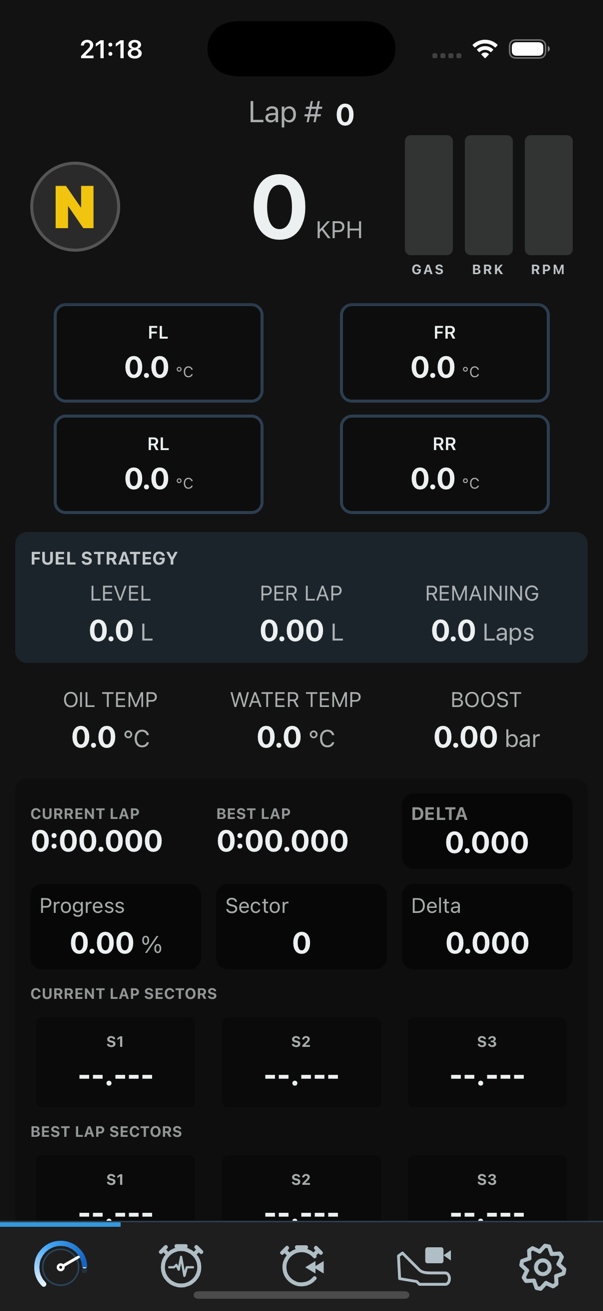
Recording a Track
GT7 does not broadcast the circuit name. Before the app can show a live map and detect your position, you need to record the track layout once. After that, the app recognises the circuit automatically every session.
Select GT7 in Settings
Open the app, go to Settings, and choose GT7 (Gran Turismo 7) as your game.
Fill in your Driver ID
Enter your Driver ID in Settings. This is required to link telemetry to your profile.
Get to the pre-race screen in game
In GT7, navigate to Time Trial and reach the screen just before the session starts - do not start the lap yet.
Tap Start Recording in the app
Go to the Record Track screen in Driver Apex and tap Start Recording.
Select the track name
A picker opens. Enter your Driver ID if not pre-filled, search for the circuit, and select it from the list.
App enters Waiting status
The status changes to WAITING and shows "Waiting for start line..." - the app is ready to detect when you cross the start.
Start the time trial in game
Go back to GT7 and launch the Time Trial session.
Drive one full lap slowly in the centre
Complete one lap at a slow, steady pace, keeping the car in the centre of the track. Speed does not matter - position does.
Track coordinates saved
When you cross the finish line, the app saves the track layout automatically.
Auto-detection from now on
Next time you start Time Trial on this circuit with the app open, it will detect the track automatically and load the live map - no recording needed again.
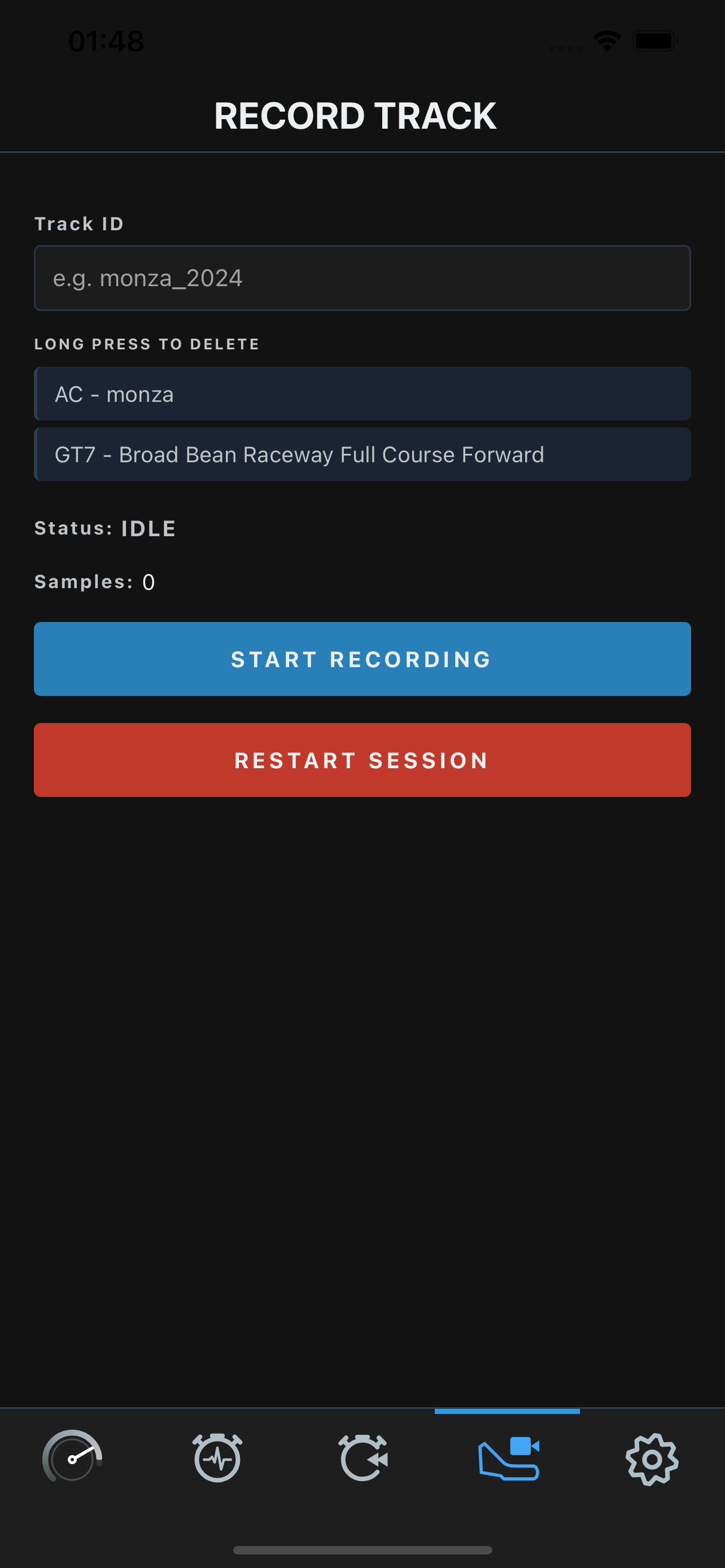
Step 4 - tap Start Recording
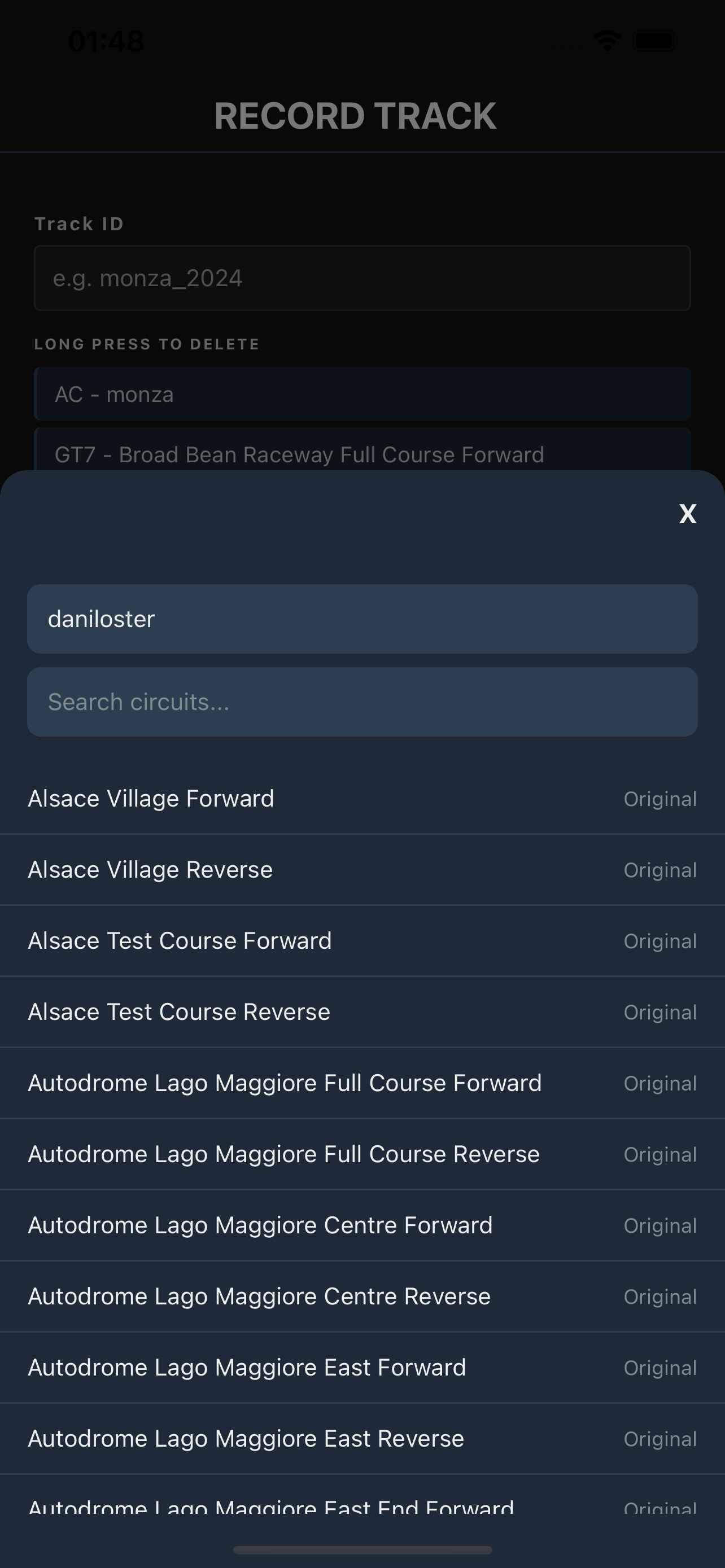
Step 5 - circuit picker opens
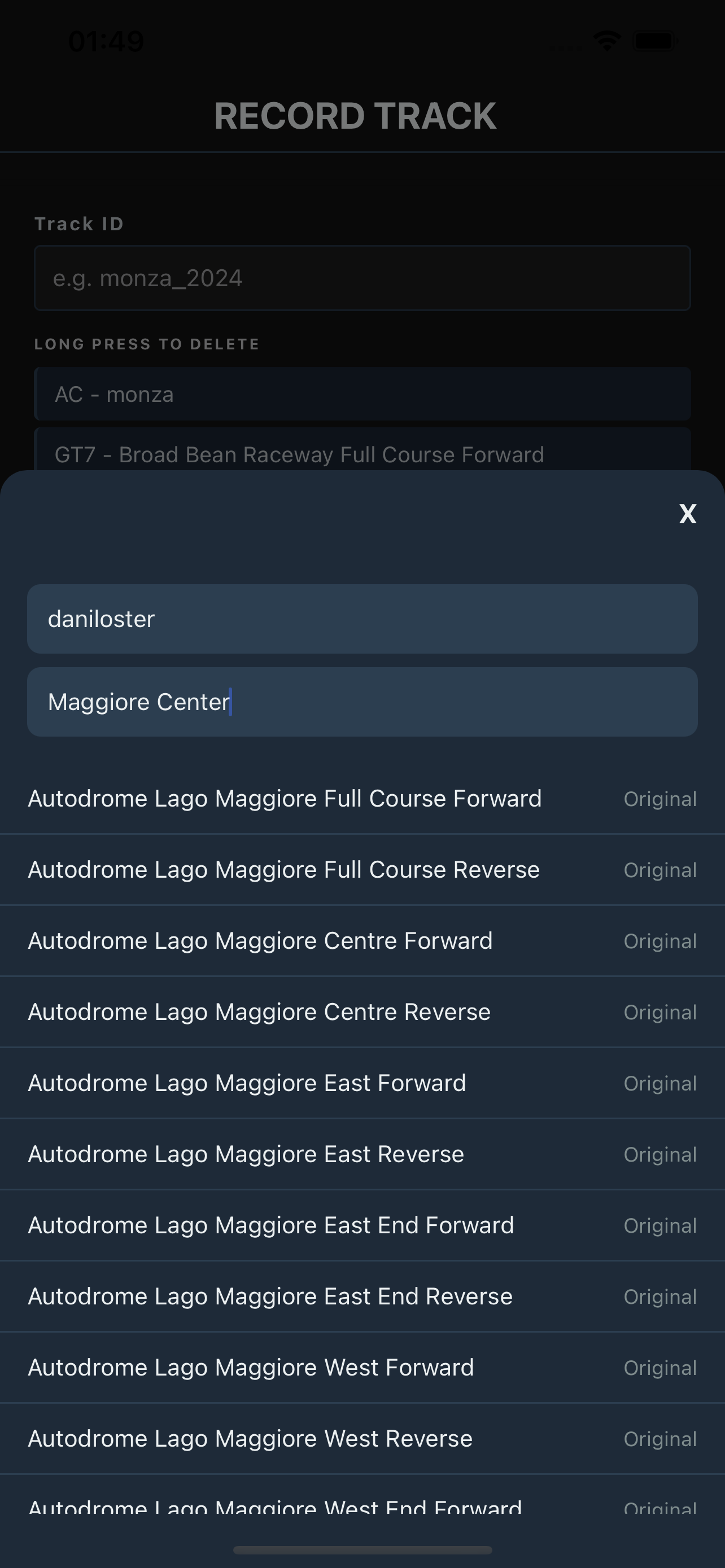
Step 5 - search and select
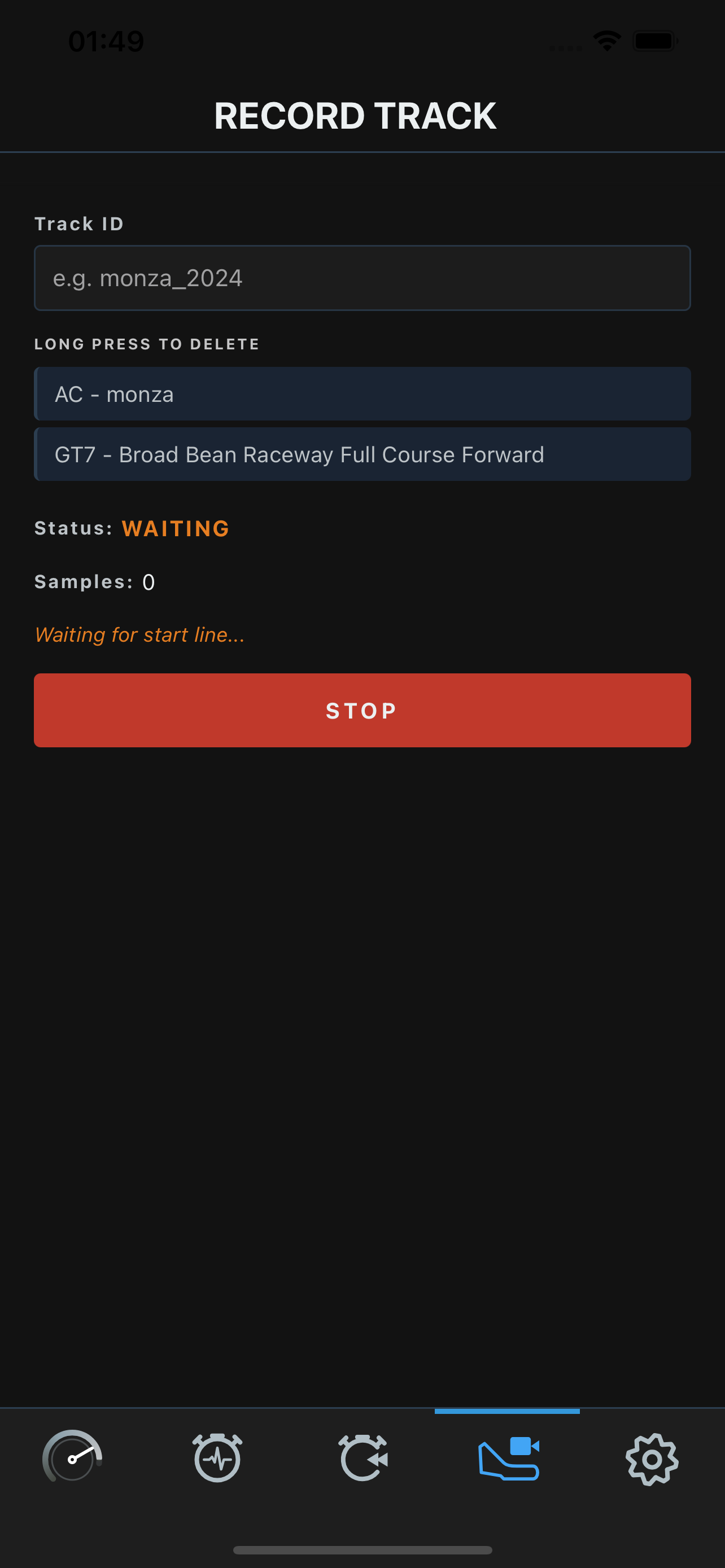
Step 6 - waiting for you
GT7 Telemetry Data Available
GT7 broadcasts one of the richest UDP telemetry packets of any console racing game. All of the following fields are available in Driver Apex.
| Data Field | Available | Notes |
|---|---|---|
| Speed (km/h) | Yes | Live at up to 60 Hz |
| Throttle position | Yes | 0-100% |
| Brake pressure | Yes | 0-100% |
| Clutch position | Yes | |
| Steering angle | Yes | |
| Gear + Engine RPM | Yes | |
| Current lap time | Yes | |
| Best lap time | Yes | |
| Lap delta | Yes | Live vs best lap |
| Tyre temperatures (all 4) | Yes | GT7-exclusive |
| Fuel level | Yes | GT7-exclusive |
| Fuel per-lap estimate | No | |
| Oil temperature | Yes | GT7-exclusive |
| Water temperature | Yes | GT7-exclusive |
| Turbo boost | Yes | GT7-exclusive |
| ABS / TC status | No | |
| 3D car position | Yes | Used for track detection |
| Circuit name in telemetry | No | Once recorded, detected from position data instead |
Features in GT7
Live Telemetry Dashboard
Speed, gear, RPM, throttle, brake, ABS/TC, current lap, best lap, lap delta, tyre temperatures, fuel, oil, water, and boost - all live.
Corner-by-Corner AI Coach
Post-lap analysis from an on-device language model. Critical, moderate, and minor notes per corner covering throttle, braking, steering, and fuel.
Predictive Turn Analysis
Real-time corner feedback as you drive. No model download required. Feedback appears on exit from each corner.
Auto Track Detection
Record a circuit once by driving one slow lap in the centre. After that, the app detects the layout automatically every session. Supports all circuits in the GT7 course library.
Lap History
Last 10 laps per car and track combination, with full sector splits, timestamps, and per-lap coaching notes.
Fuel Strategy
Live fuel level, per-lap consumption, and estimated laps remaining. Available because GT7 broadcasts fuel data natively.
Common GT7 Questions
- Do I need to change any settings in GT7?
- No. GT7 broadcasts telemetry automatically over UDP. You only need your PlayStation and phone on the same Wi-Fi, with UDP ports 33740 and 33739 open on your router.
- Which mode should I use in GT7?
- Time Trial. GT7 broadcasts its full telemetry packet including tire temperatures and fuel in Time Trial mode.
- How does track detection work?
- GT7 telemetry does not include the circuit name. You record a circuit once by driving one full lap at slow speed in the centre. After that, the app detects it automatically at the start of every Time Trial session.
- I changed circuit and the app shows the wrong track. What do I do?
- If the new circuit has been recorded before, the app will detect it automatically when the session starts. If it has not been recorded yet, use the Record Track screen to record it first.
- What does the IP address 255.255.255.255 mean?
- It is the UDP broadcast address, meaning the app listens for telemetry from any device on the local network. You do not need to enter your PlayStation's IP address. If you prefer to use a specific IP, enter your PS4/PS5 IP instead.
Get Started
Start Your GT7
Free Trial Today.
2 months free. All features included. €5.99/month after. Cancel anytime.
See Pricing